PGA Tour Quality Shots
A PGA Tour partnership that detects when an amateur hits a Tour-caliber approach and turns it into a share card that stands on its own.
The short version
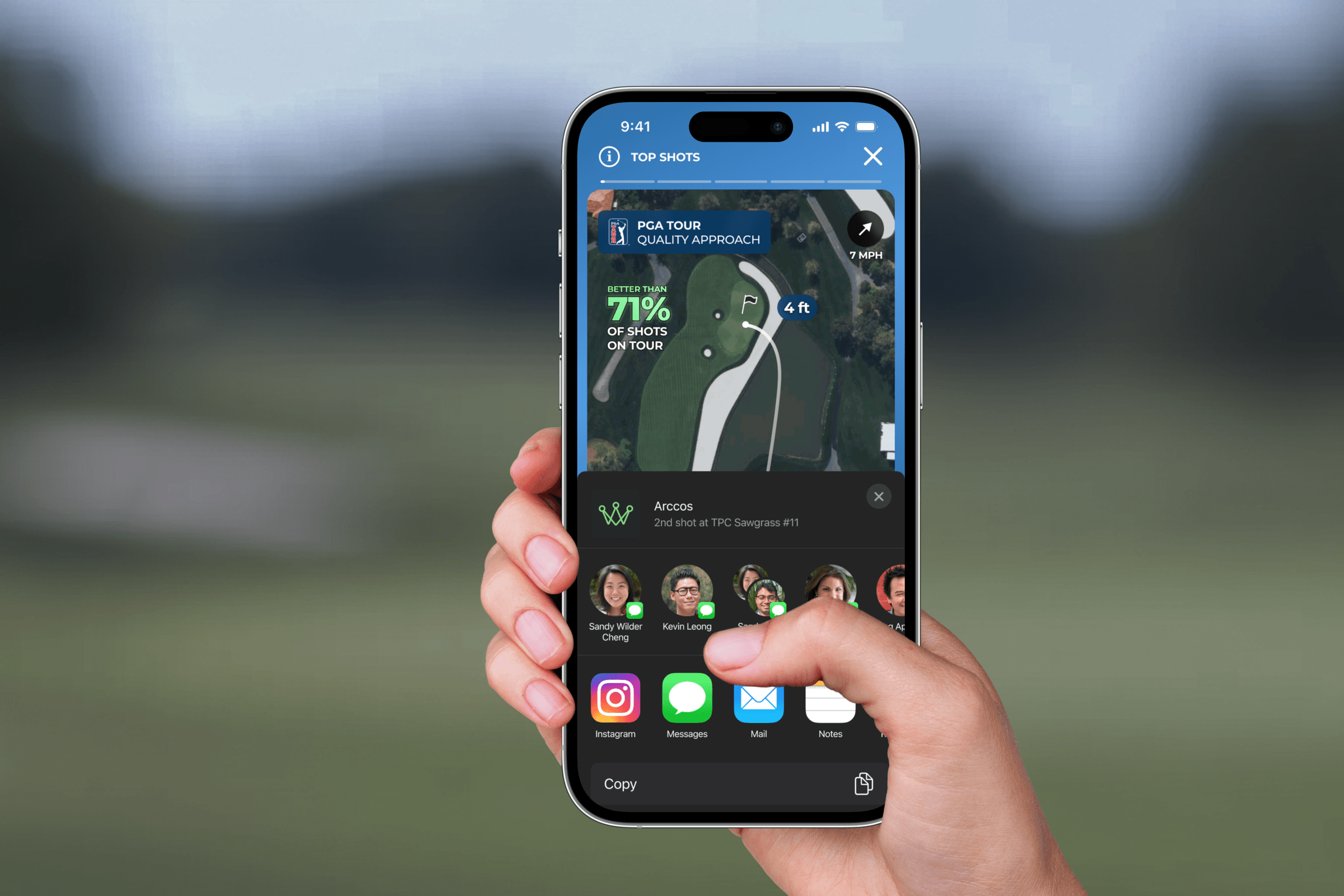
Arccos tracks every shot its members hit. The PGA Tour, through ShotLink, tracks every shot hit on Tour. This feature connects the two: when a recreational golfer hits an approach shot that meets Tour-level standards, the app detects it, surfaces it as a Top Shot in their feed, and packages it into a share card built to make sense to someone who has never heard of Arccos. It shipped as part of an official PGA Tour partnership and became one of Arccos's most-shared features.
Why approach shots
The partnership idea was simple. Arccos had the amateur data, the Tour had the professional data, and nobody had ever put them next to each other. Approach shots were the obvious place to start. They're the most measurable, most relatable shot in golf. Drives are half luck and slope. Putts are green reading. An 8-iron from 158 yards to 4 feet is skill, and everyone who plays knows exactly what it means to stick one close.
We briefly looked at benchmarking drives and putts too. Both died fast. Driving comparisons mostly remind an amateur they're 60 yards behind the Tour average, and putting comparisons need context that doesn't translate across greens. Approaches were the one place an amateur can genuinely beat a pro's number, which is the entire emotional engine of the feature.
The goals stacked up. Give amateurs a real benchmark for their best shots. Give the PGA Tour a consumer touchpoint that puts ShotLink data in people's hands. And create moments worth posting, which drives engagement for both brands.
What counts as Tour quality
The mechanic itself was clean: take an amateur approach, compare it against Tour shots from a similar distance, and output a percentile. "Better than 71% of shots on Tour." The fight was over the threshold, the score that earns the badge.
That fight, not the math, was the real design work, and it split three ways.
Generous meant noise. The first pass flagged any approach better than the median Tour shot. I ran that rule against a stack of beta rounds and a 14-handicap earned three badges in a single round. Three. Product liked the volume because more badges meant more shares. But a badge you earn three times a round is a participation trophy, and it carried the PGA Tour's name on it.
Strict meant invisible. The other instinct was to protect the mark hard: only the top 10% of Tour shots qualify. Run that against the same beta rounds and most members would never see a badge in a season. A feature nobody ever triggers is a rumor, and we'd have spent four months building it.
Where we drew the line. We landed near the top third of Tour shots, which worked out to roughly one badge every couple of rounds for a mid-handicapper. Rare enough to mean something, common enough to exist. The tiebreaker that got everyone comfortable: the card always shows the actual percentile. The threshold only gates the celebration. A 71 never dresses up as a 95, so the honesty of the stat doesn't depend on where the cutoff sits.
At the time it did not feel that tidy. We were setting the value of a badge nobody had earned yet, with no market data on either side. Too generous and we cheapen the Tour's mark and hear about it in review. Too strict and the feature dies quietly and nobody hears about it at all. We picked the number we could defend to the Tour and made sure the threshold lived server-side so we could tune it after launch without an app update.

The directions the Tour killed
The PGA Tour had strict brand guidelines, and every screen carrying their mark went through their review process. Several early directions did not survive it.
The takeover got killed first. A full-screen celebration when a quality shot was detected: Tour blue background, animated badge, logo front and center. I liked it in isolation. The Tour's review came back fast: it read as an advertisement for the Tour inside a paid app, exactly the "too promotional" line their guidelines exist to prevent. Fair point. It also broke the visual rhythm of the rest of Arccos, which is dark, quiet, data-forward.
The stamp died next. The opposite instinct: shrink the Tour presence to a small "presented by" lockup watermarked on every screen the feature touched. Their brand team rejected it over clear-space and co-branding rules, and honestly it deserved to die. It made a data partnership look like a banner sponsorship. Nobody on our side argued.
The version that landed treated the badge like a medal instead of a logo. Tour branding appears only where ShotLink data actually does the work: the badge on a qualifying shot, the palette on the card. Everywhere else, Arccos stays Arccos.

The takeover
Full-screen celebration in Tour blue with an animated badge. Killed in Tour review for reading as an ad for the Tour inside a paid app, and it drowned out the rest of the experience around it.
The stamp
A small presented-by lockup watermarked on every screen the feature touched. Rejected over clear-space and co-branding rules, and it made a data partnership look like a banner sponsorship. Nobody argued for it twice.
The medal
The winning direction. Tour branding appears only where ShotLink data earns it: the badge on a qualifying shot, the palette on the card. The badge behaves like something you win, and both brands read as intentional.
Surfacing your best
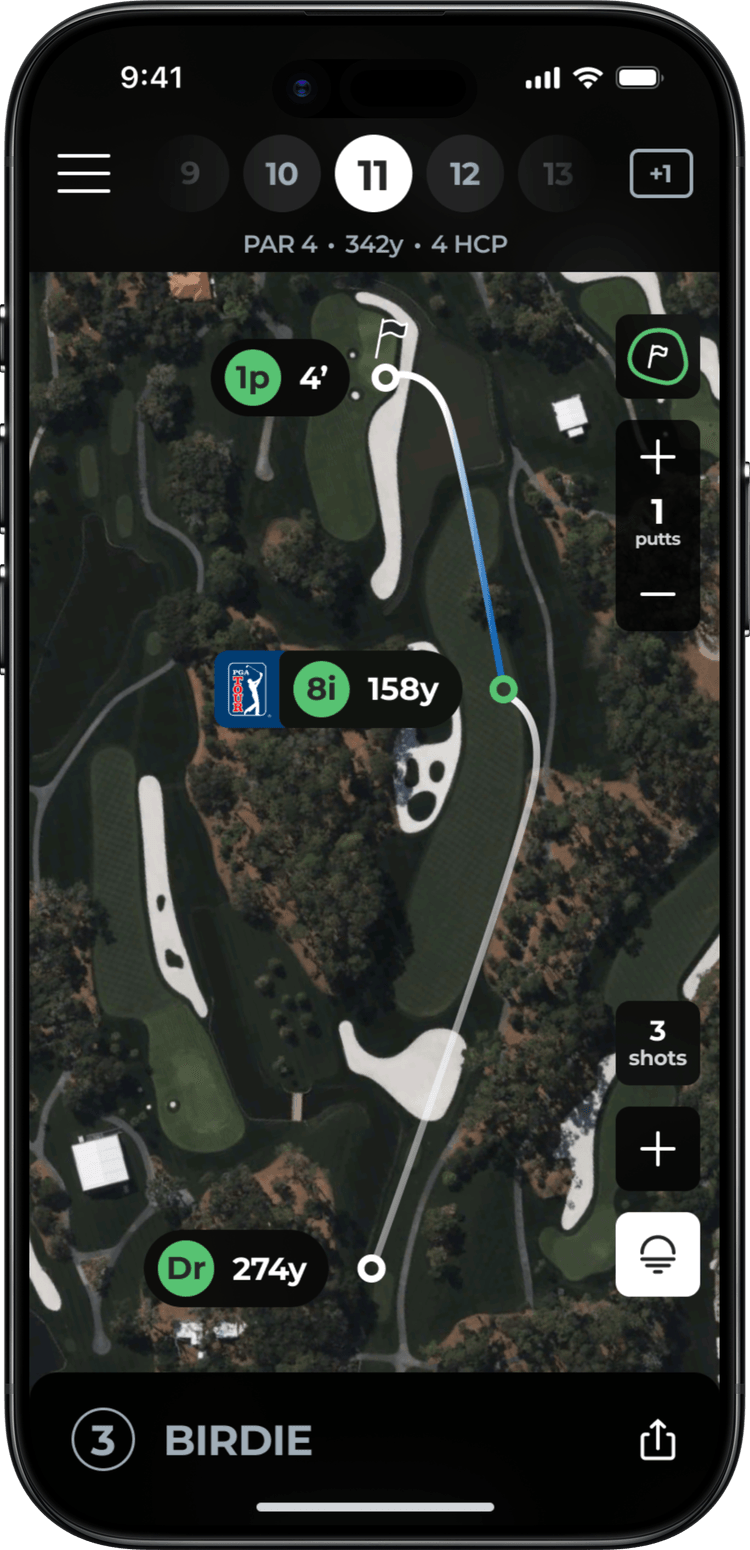
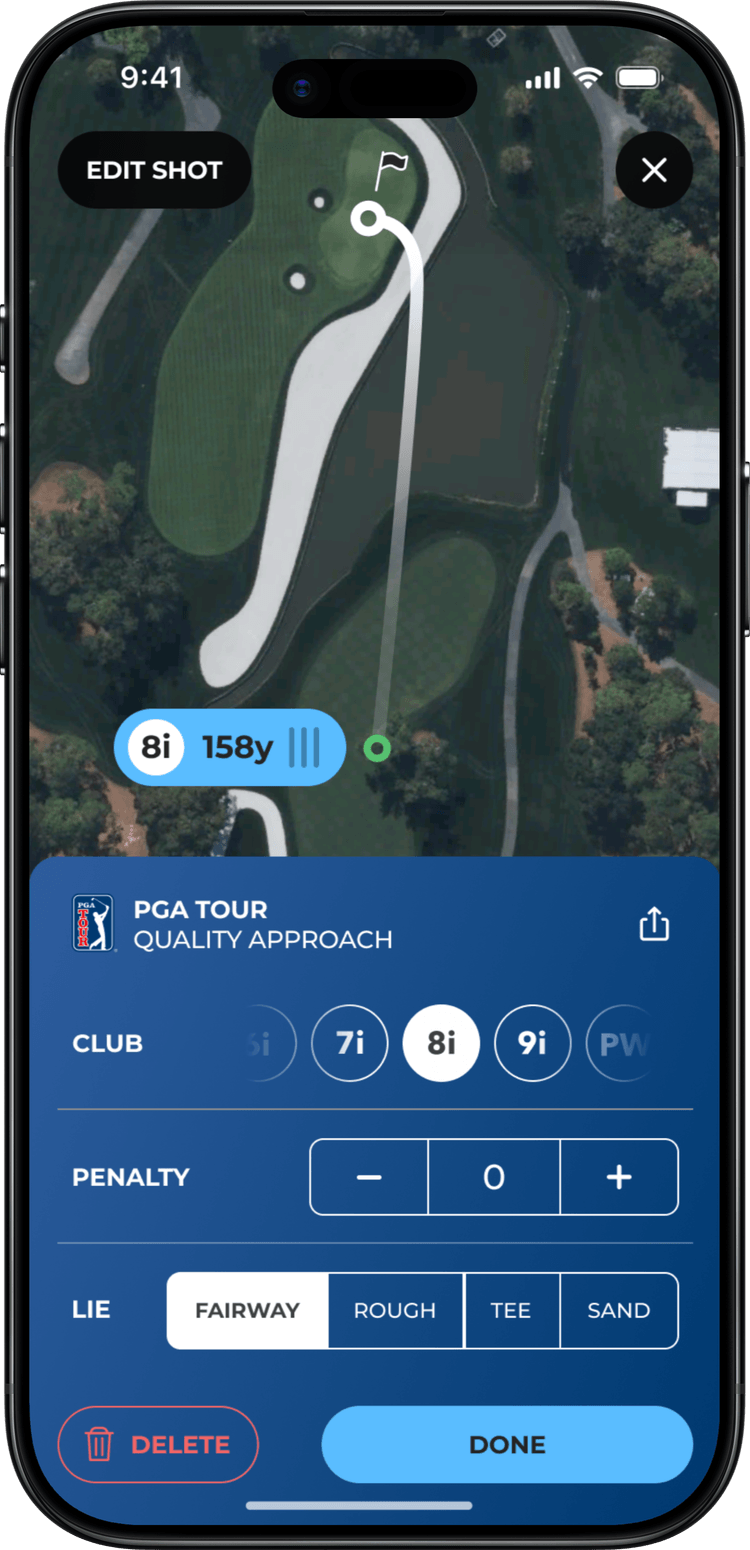
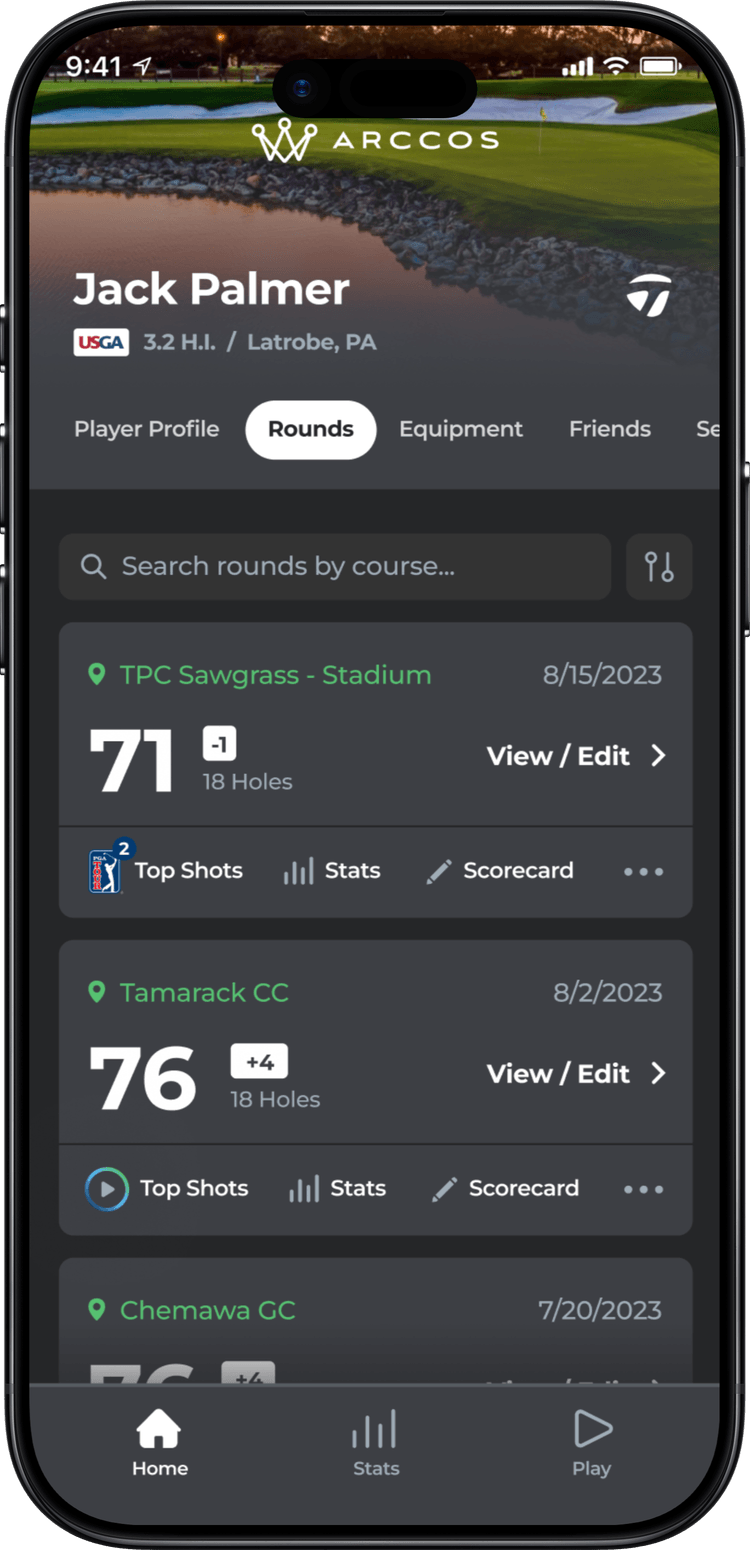
After a round, the system checks every approach against the Tour thresholds and surfaces the qualifiers as Top Shots in the player's feed. No digging. Your best shot from the round is waiting for you when you open the app.
The quieter design problem was translation. Raw ShotLink output means nothing to an amateur. "Better than 71% of shots on Tour" means everything, instantly. Club, distance, and result give it just enough context to feel real. I cut everything else. Every element on that card had to earn its space, because the next problem was about to make space very scarce.
Wind almost made the card. It survived three revisions because it made good shots sound better, then got cut when I realized nobody bragging about a shot wants an asterisk explaining the conditions. The detail view keeps it. The card does not.
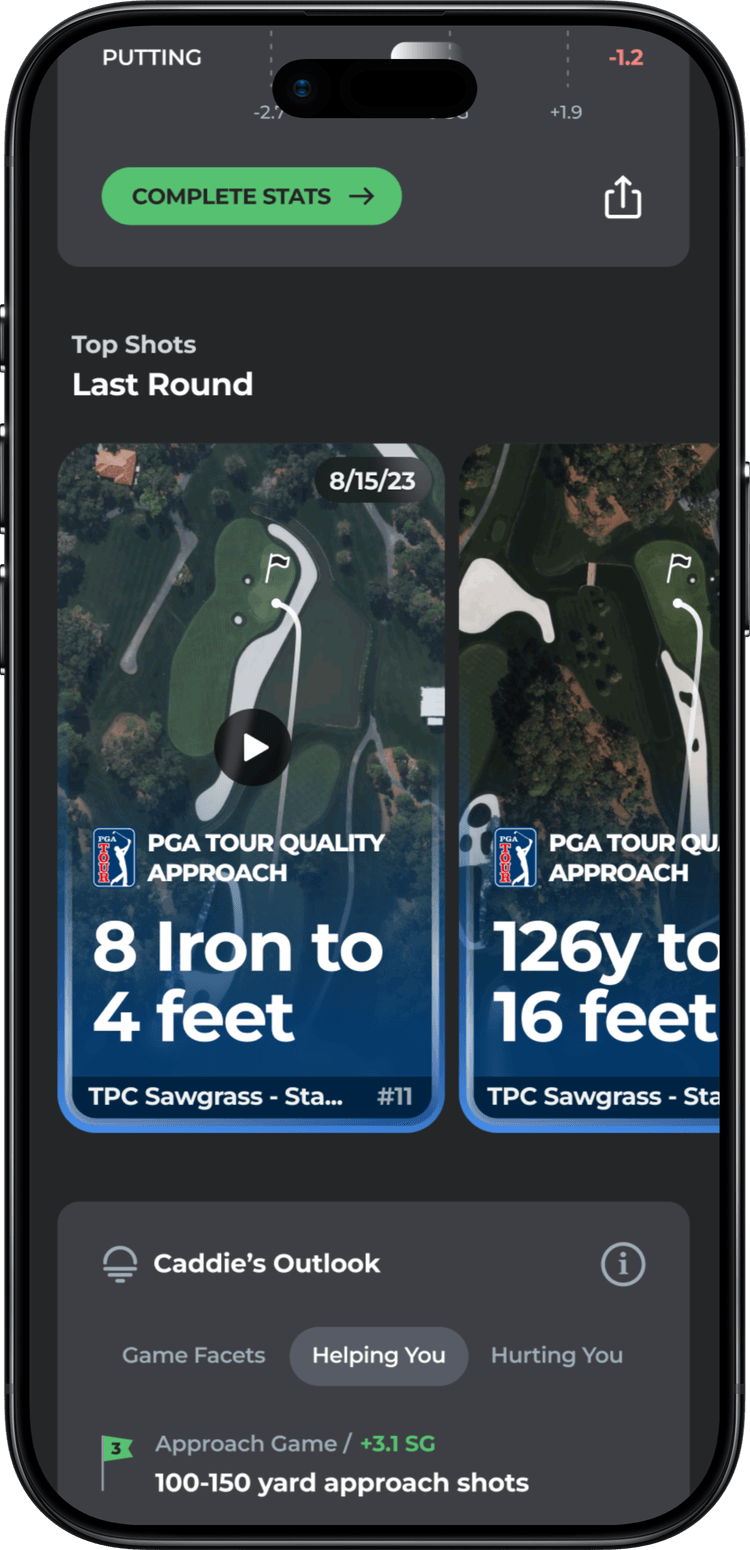
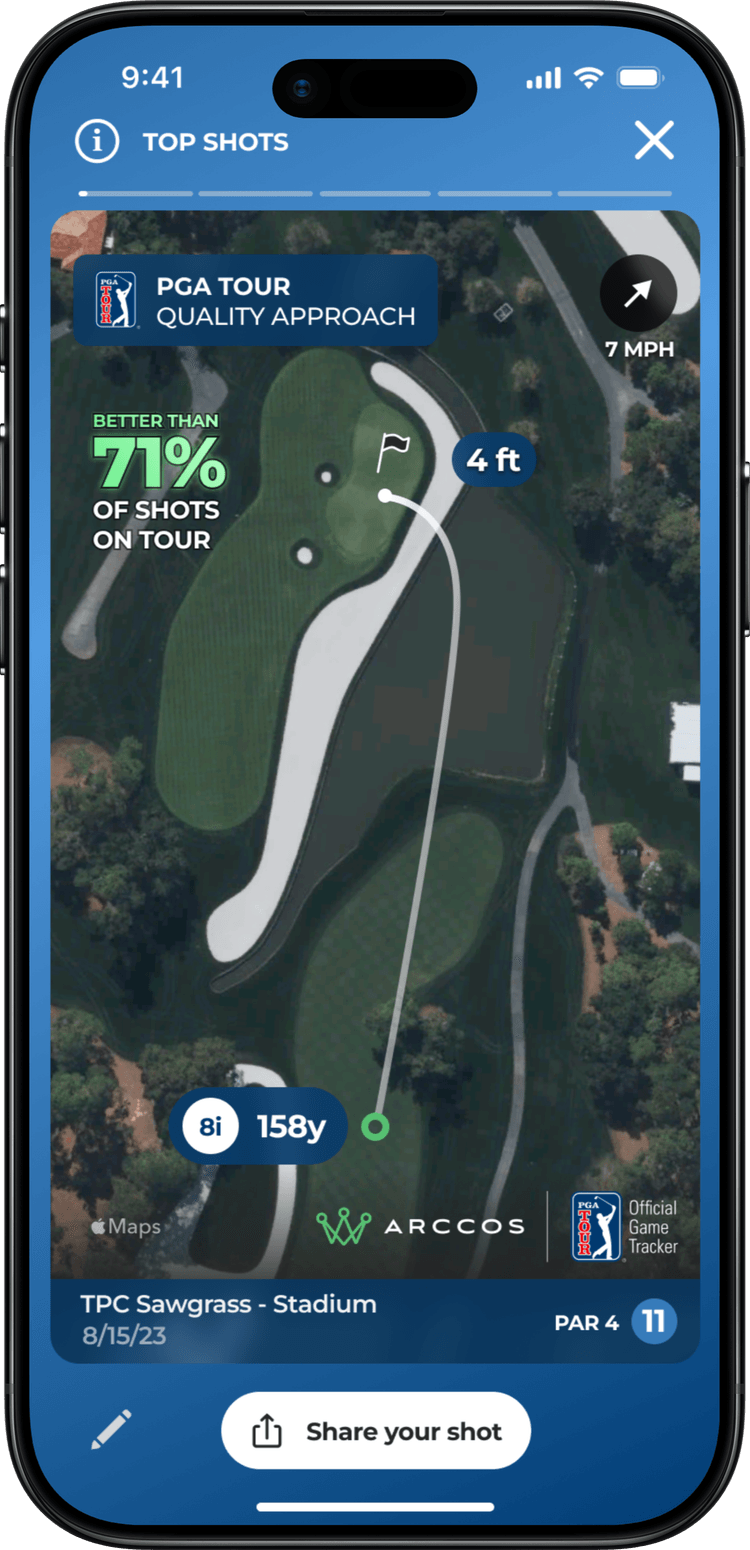
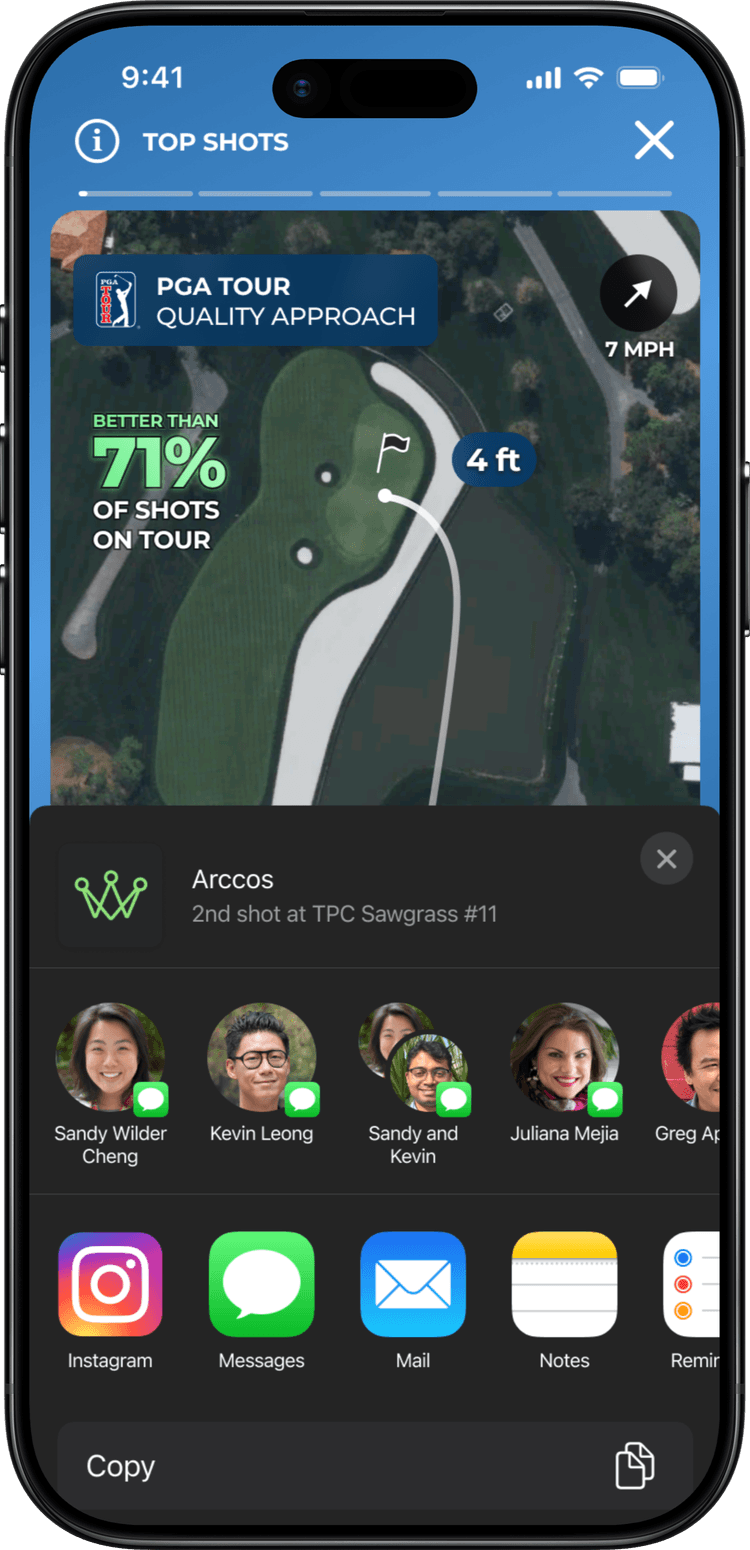
The card that died in a story mockup
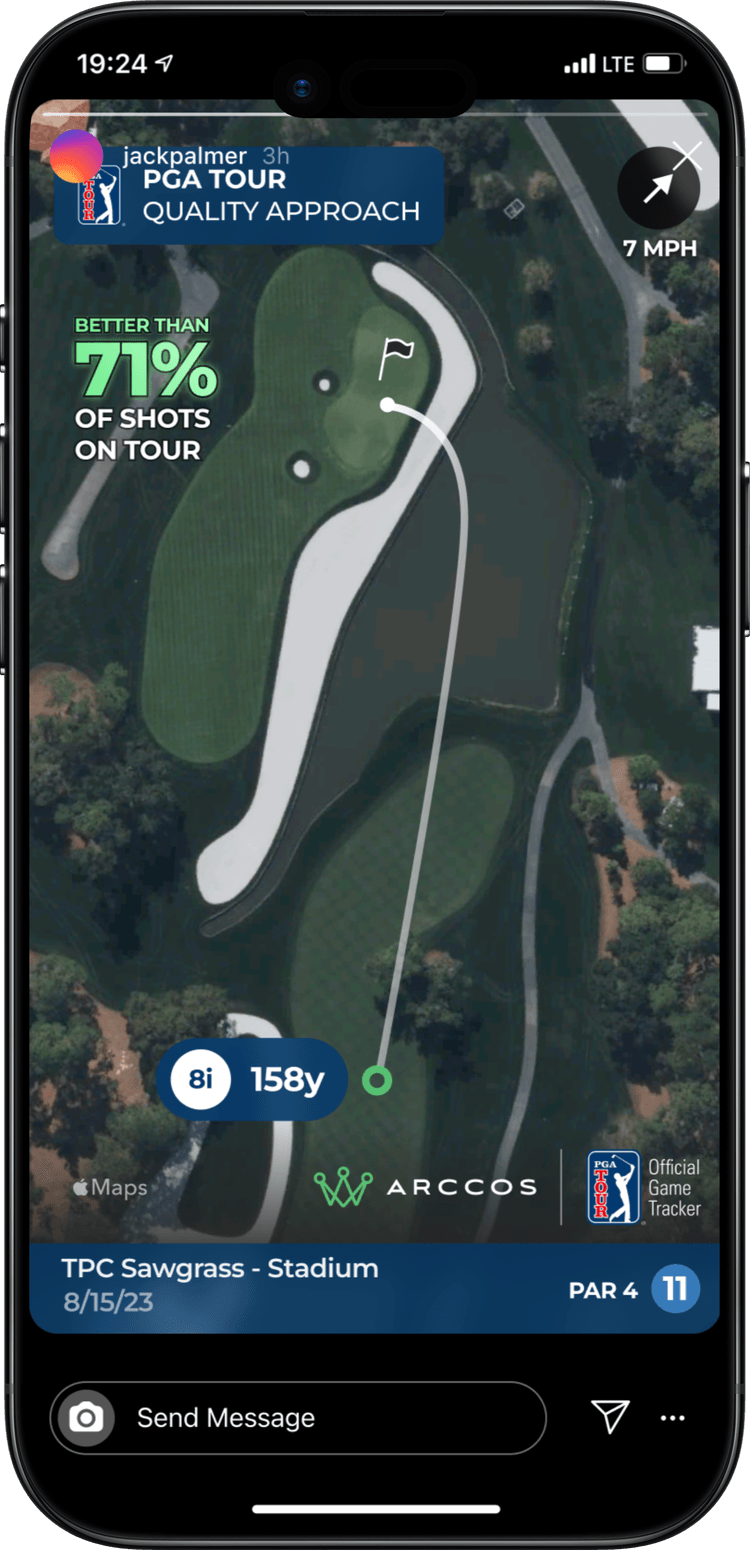
The first share card was the in-app shot detail, exported. Dark UI, the map trace, six stats, the badge tucked in a corner. It looked great in the app and it looked great in Figma at desktop zoom. Then I dropped it into an Instagram story mockup and viewed it on an actual phone at arm's length. The stats were illegible. The badge read as a watermark. The whole thing looked like a screenshot of an app, and nobody posts screenshots of apps they pay for.
I rebuilt it around one number. The percentile line huge, a single supporting row (club, distance, proximity), and the Tour badge given actual room instead of a corner. The test I held every revision to: can someone read the whole card in the two seconds a story is on screen before their friend taps through. If any element failed the two-second read, it came off the card.


The notification
The badge needed a delivery moment, and the obvious version was wrong. First instinct was to push the notification the second a shot qualified, mid-round. Real time felt exciting in the design review. But the in-play redesign had already taught us that golfers resent their phone during a round, and buzzing someone on the next tee interrupts the exact experience the feature is supposed to reward. We held everything until the round finished processing, then led with the best shot of the day.
You put your clubs in the trunk, and your phone tells you your 8-iron on 11 was better than most shots hit on Tour. That timing is a large part of why the notification numbers looked the way they did.
Built to share
The card had to stand alone everywhere a golfer might post it: Instagram Stories, TikTok, iMessage. Someone who has never used Arccos should look at it and get the whole story in a glance. This person hit a shot better than most pros, and there's data behind the claim.
Results
One of the most-shared features
Quality Shots became one of Arccos's most-shared features. The cards showed up consistently on Instagram and in golf forums, posted by people who wanted to, which is the only kind of sharing that matters.
Organic visibility for both brands
Every shared card put the partnership in front of people neither brand paid to reach. The Tour's mark traveled on the back of amateur shots, which was the whole thesis of the feature.
Notifications that got opened
Users who received a quality-shot notification were far more likely to open the app and review their full round data. The badge turned out to be a better re-engagement hook than anything we had tried before it.
The partnership expanded
The Tour was pleased enough with the integration to open additional data-sharing conversations after launch. Treating their brand as a co-equal part of the experience, instead of a bolt-on, paid off.
What I learned
The share card is the product for 90% of the people who see it. I spent more time on that one card than any other screen, and that felt disproportionate until the story mockup made it obvious. Someone scrolling Instagram will never open the app. The card has to tell the whole story with zero context, and a social feature lives or dies by whether the shared artifact stands on its own.
Partner constraints sharpen work. The Tour's review process felt slow at first, and watching directions get rejected stung. But that friction forced me to justify every layout and color choice in terms of both brands instead of ours alone. The final product was stronger for it. A partner's constraints will push work harder than internal review ever does.
A threshold is a design decision, not a data decision. The percentile math was the easy part. Deciding what earns the badge was deciding what the badge is worth, and no amount of ShotLink data could answer that for us. I would make the same call again. The mistake was how long I let it stay open. I treated the number as something to perfect before launch when I should have shipped a defensible one early and tuned it against real rounds, which is exactly what the server-side threshold was built to let us do.