
Make more of your simulator.
- My role
- Solo product design and AI-assisted development
- Project status
- Browser alpha · simulator in development
I’m building Fairways as a golf simulator platform that also runs in the browser. It brings playing, practice, multiplayer, and course creation into one product, with shared courses and gameplay across both ways of playing.
I own product direction, design, and AI-assisted development across the game, its 3D environments, and its course-creation tools.
Simulator and browser play
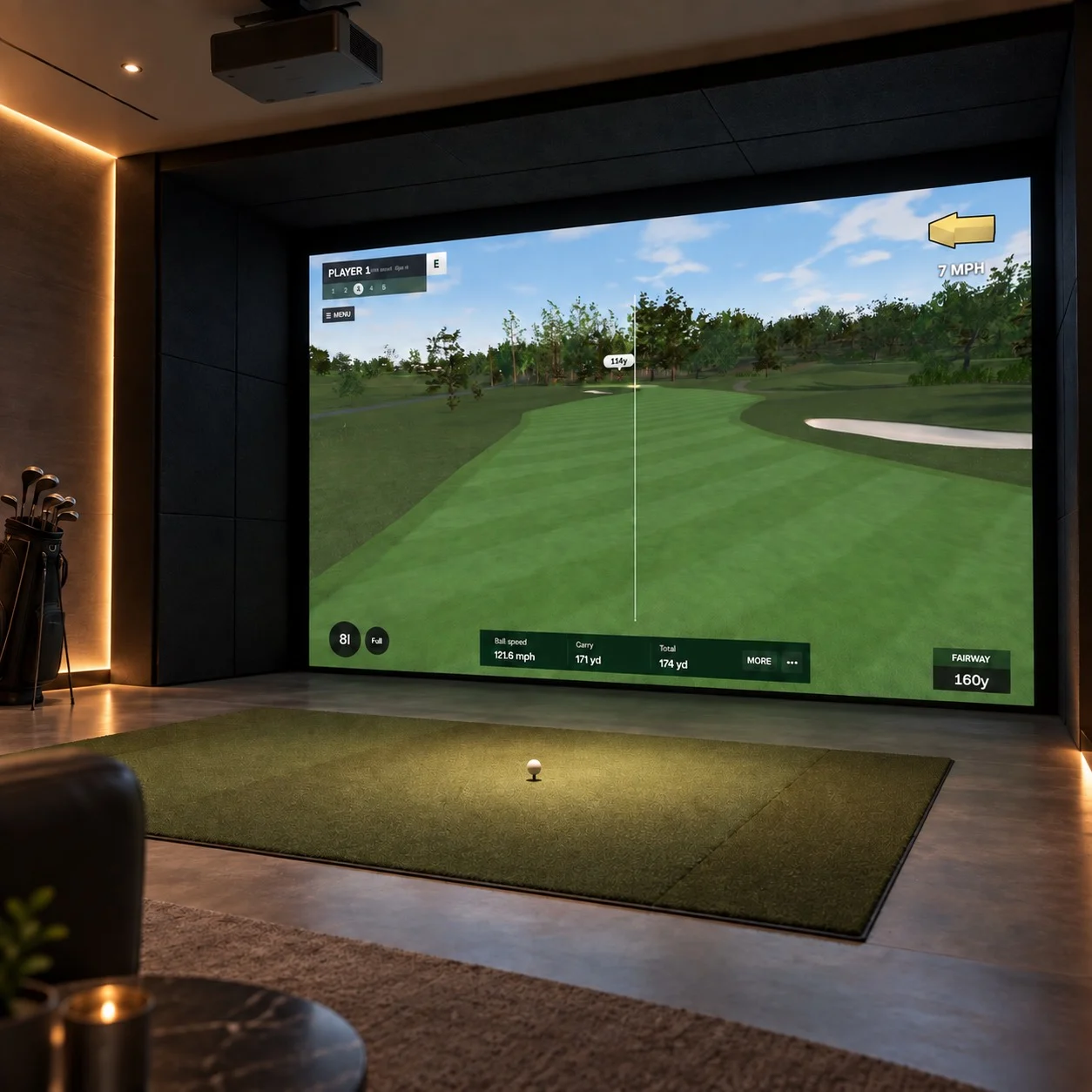
Fairways is simulator first: the player needs to read a projected course from the hitting area, take a physical swing, and follow the ball. The course and shot information need to work at that distance.
Browser play uses a swing meter in place of a launch monitor’s shot data. Both inputs feed the same courses, physics, and scoring, so improvements to the round carry across both versions. The browser alpha is playable; simulator hardware integration is still in development.
Game modes
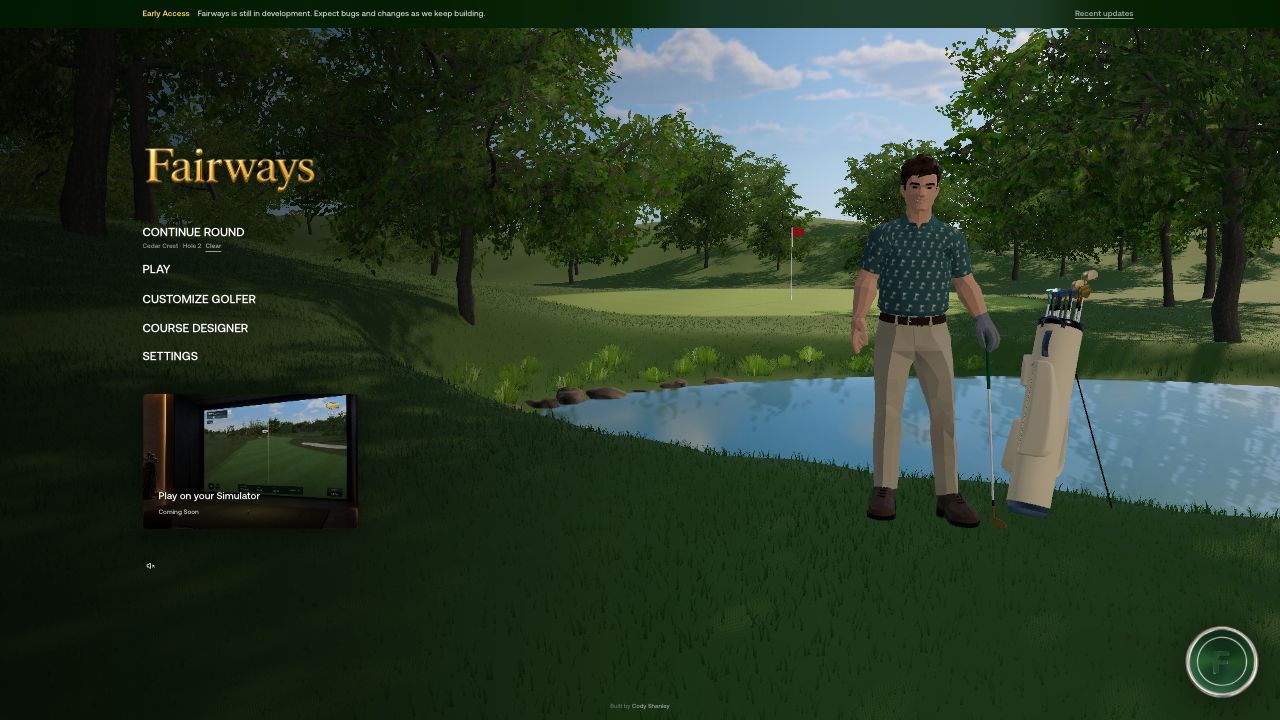
Fairways supports different reasons to play: a full round, a practice session, or a match with friends. I organized these alongside course creation and golfer customization so the product supports both playing golf and making something of your own.
Shot controls and camera
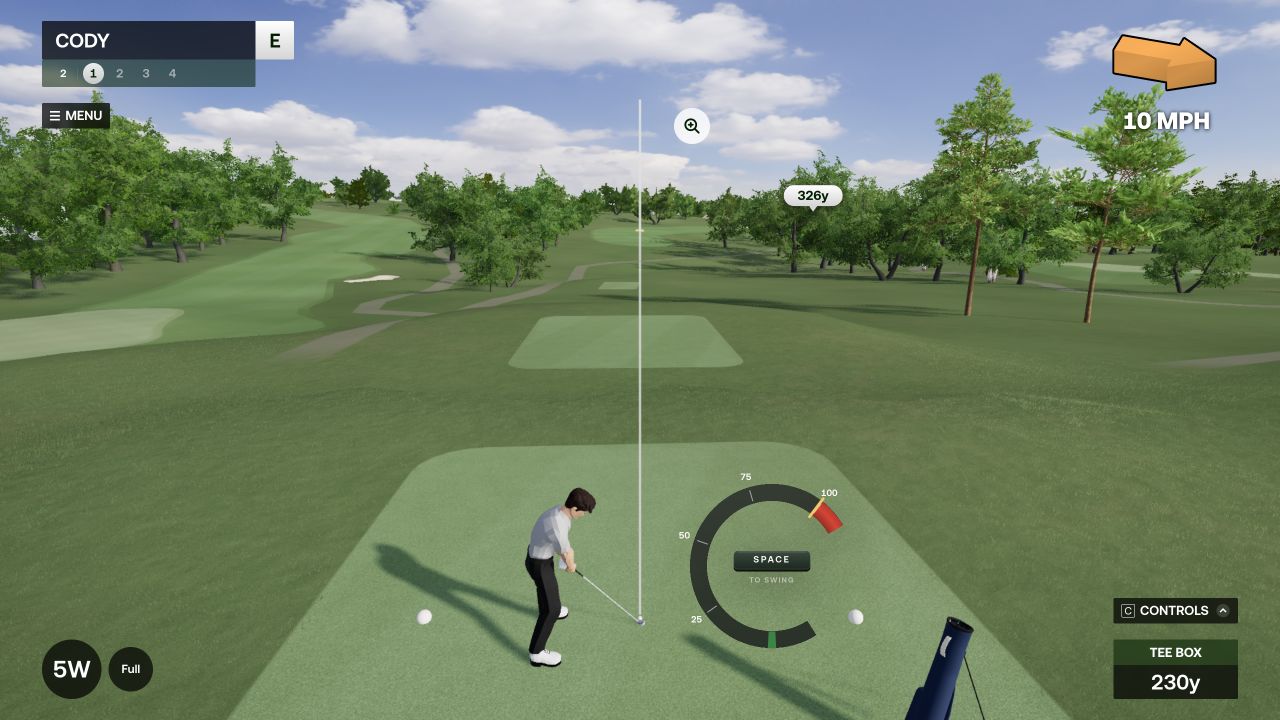
Players need to judge distance, wind, and terrain before committing to a shot. I kept that information available without obscuring the course, then used the camera to make the ball’s flight and landing easy to follow.
Multiplayer
Players can host a round and invite friends with a join code. Guests can join without creating an account, keeping the setup focused on getting a group onto the course.
Golfer customization
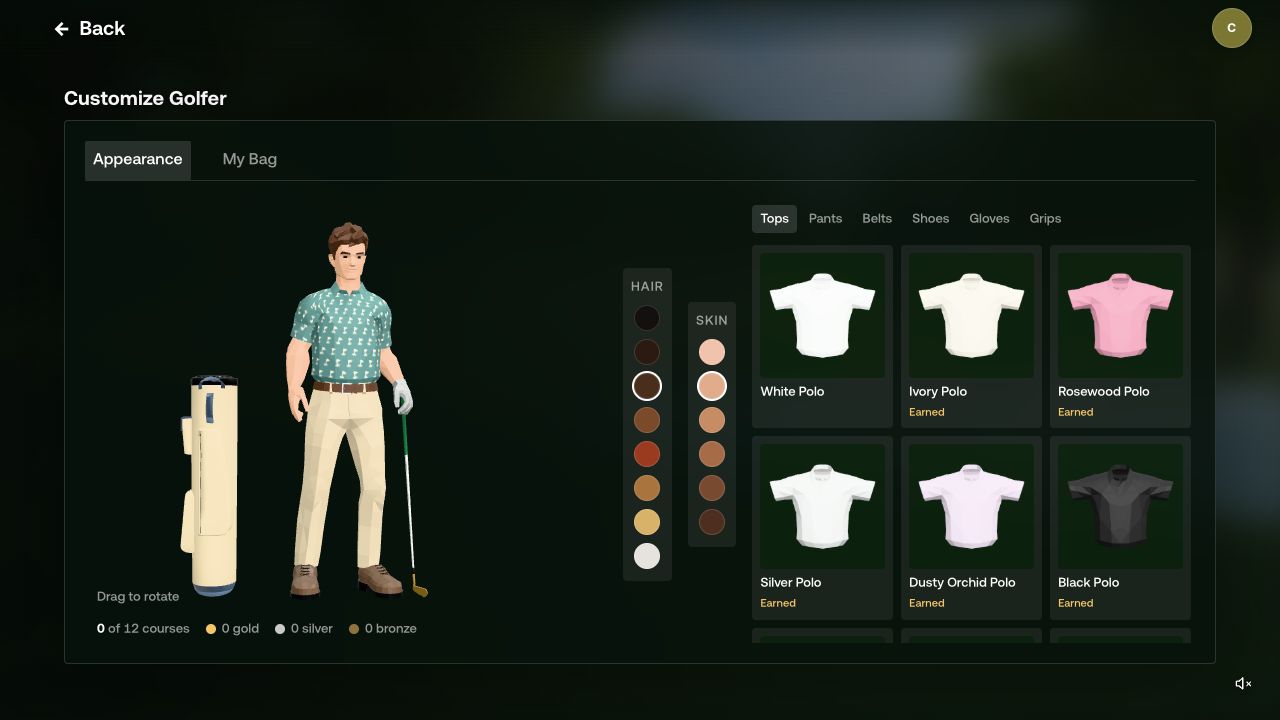
Golfer and equipment customization gives players a way to make the game their own. I kept those choices cosmetic so personal expression would not change competitive performance.
Course Designer
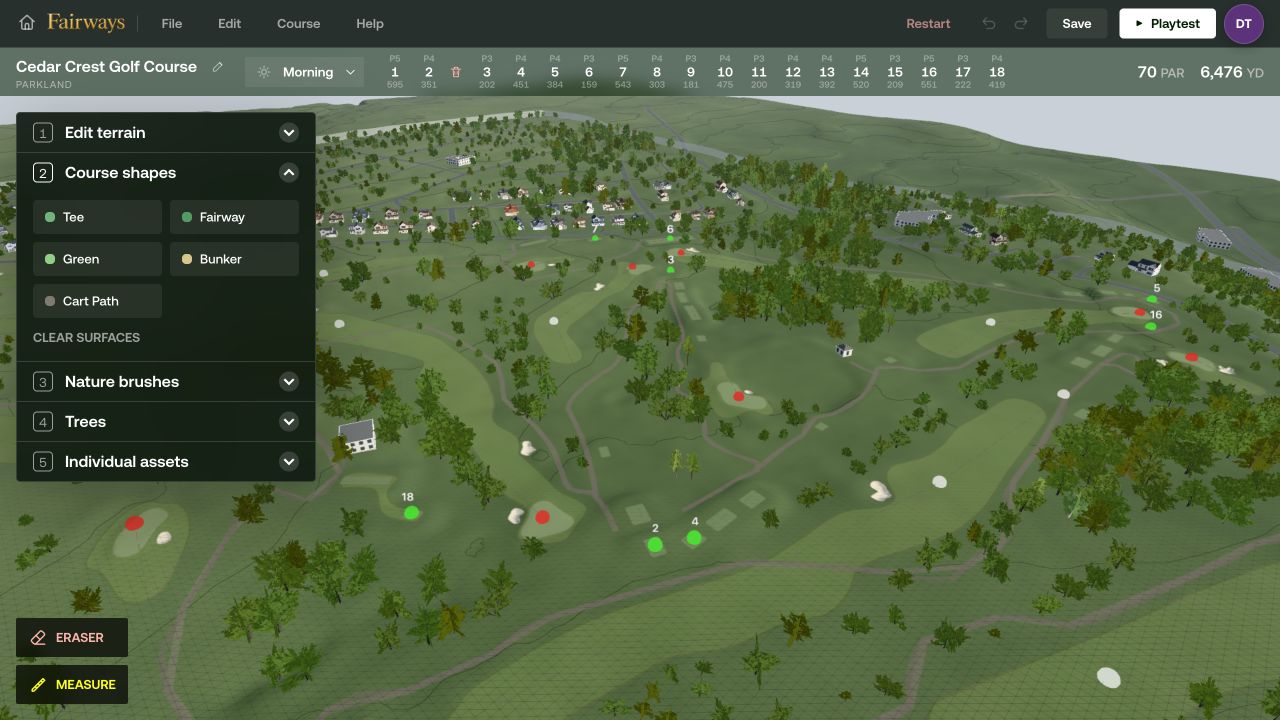
The Course Designer lets players sculpt terrain, shape playing surfaces, route holes, and add scenery. It makes course creation part of Fairways rather than a separate production process.
I built playtesting into the editor because a hole’s strategy is difficult to judge from an overhead view alone. Creators can test sightlines, landing areas, and hazards from the golfer’s perspective, then refine the design.
Real course imports
Recreating a real course by hand requires substantial terrain and layout work. I built an internal import tool that combines mapping, elevation data, and aerial imagery to establish a starting point.
Import completion is separate from publishing. Public data has gaps, so missing information is flagged for review and the terrain, routing, and scenery can be refined in the Designer before a course becomes available.
Development scope
I narrowed the initial environment work to wooded parkland courses so I could improve course quality and the core game before supporting more landscapes. Fairways remains in active development, with simulator integration still ahead.